La maggior parte dei team che utilizza strumenti di web analytics ha tra zero e tre obiettivi configurati. Quelli che ne hanno zero operano alla cieca. Quelli che ne hanno tre li hanno generalmente impostati durante la configurazione iniziale dello strumento e non li hanno mai più toccati. Nessuno dei due gruppi sta sfruttando appieno a cosa servono davvero gli obiettivi.
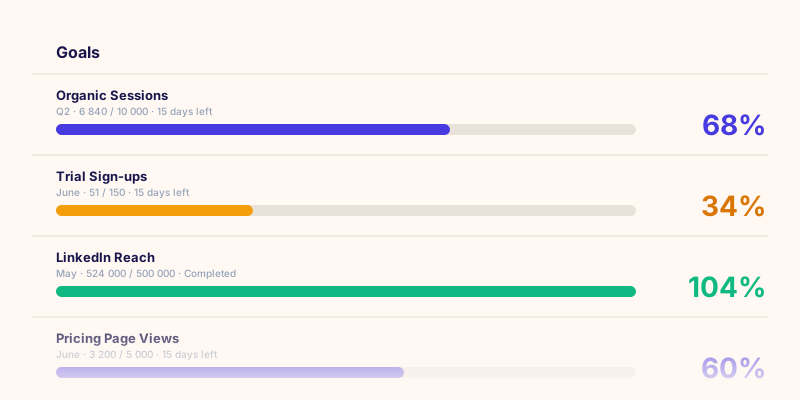
Un obiettivo di analytics è un impegno misurabile: un risultato specifico, un valore target e una scadenza. Non "vogliamo più conversioni", ma "vogliamo 150 registrazioni di prova dalla ricerca organica entro il 31 luglio". La differenza tra queste due affermazioni è la differenza tra dati che decorano una dashboard e dati che cambiano una decisione.
Questa guida spiega come definire obiettivi che generino davvero azioni, quali categorie di obiettivi contano lungo l'intero funnel di marketing, perché collegare gli obiettivi a canali specifici cambia il modo in cui leggi i tuoi dati analitici, e come costruire un ritmo di revisione che impedisca agli obiettivi di diventare obsoleti.
Cosa è davvero un obiettivo di analytics
Nel web analytics, un obiettivo (a volte chiamato conversione o target di KPI) è una metrica predefinita con un valore target che misuri in un periodo specifico. Quando qualcuno compila il tuo modulo di contatto, quello è un evento di conversione. Quando dici "voglio 80 moduli inviati questo mese", quello è un obiettivo.
Gli obiettivi svolgono tre funzioni che le metriche grezze non possono:
- Impongono precisione. "Aumentare il traffico" non è un obiettivo. "Raggiungere 10.000 visitatori unici dall'organico entro il Q3" lo è.
- Creano responsabilità. Una metrica senza target è solo un numero. Un target fa passare o bocciare quel numero.
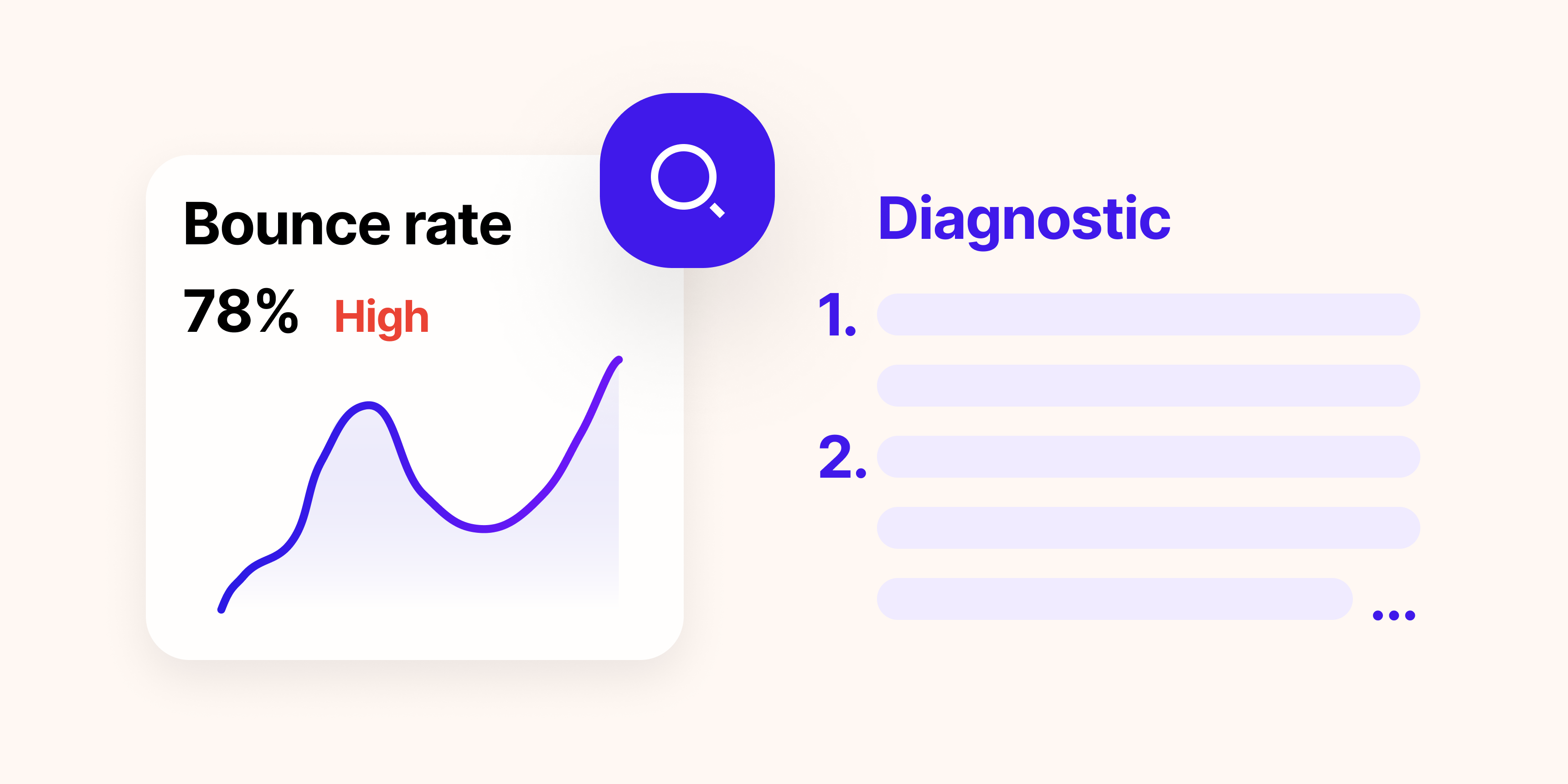
- Rivelano su cosa agire. Quando il giorno 20 sei al 34% del tuo obiettivo mensile di lead, è un segnale per agire, non per aspettare.
Le quattro categorie di obiettivi che dovresti monitorare
Un framework di obiettivi completo copre l'intero funnel, dal primo momento in cui qualcuno vede il tuo brand fino alla conversione e oltre. Gli obiettivi che vivono solo nella parte inferiore del funnel (conversioni) perdono i segnali precoci che predicono se il volume di conversioni si manterrà il mese successivo.
1. Obiettivi di notorietà
Gli obiettivi di notorietà misurano la portata: quante persone sono esposte al tuo brand, a quale costo e con quale frequenza. Sono più importanti per i team che gestiscono campagne a pagamento o che costruiscono la presenza organica da zero.
Esempi: copertura, impressioni, frequenza, CPM. Un tipico obiettivo di notorietà per una campagna a pagamento potrebbe essere "500.000 impressioni nei primi 30 giorni".
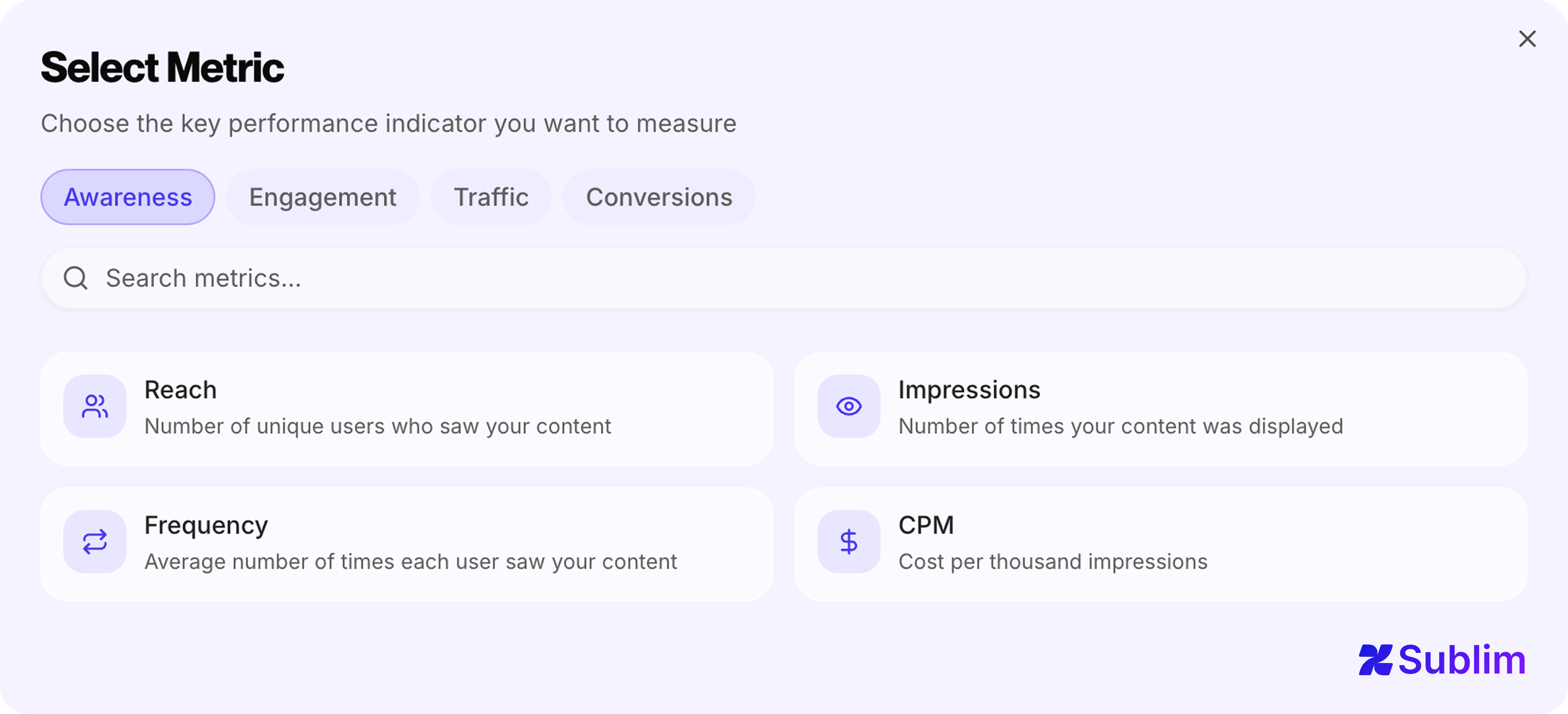 Obiettivi di notorietà disponibili in Sublim: Copertura, Impressioni, Frequenza, CPM
2. Obiettivi di engagement
Gli obiettivi di engagement misurano cosa fanno le persone dopo averti visto: clic, visualizzazioni video, nuovi follower, frequenza di rimbalzo. Sono i segnali che indicano se il contenuto sta funzionando prima che questo si rifletta nei numeri di conversione.
Esempi: clic, CTR, CPC, visualizzazioni video, azioni di engagement, nuovi follower. "Raggiungere un CTR del 4,5% sulla nuova landing page" è un obiettivo di engagement.
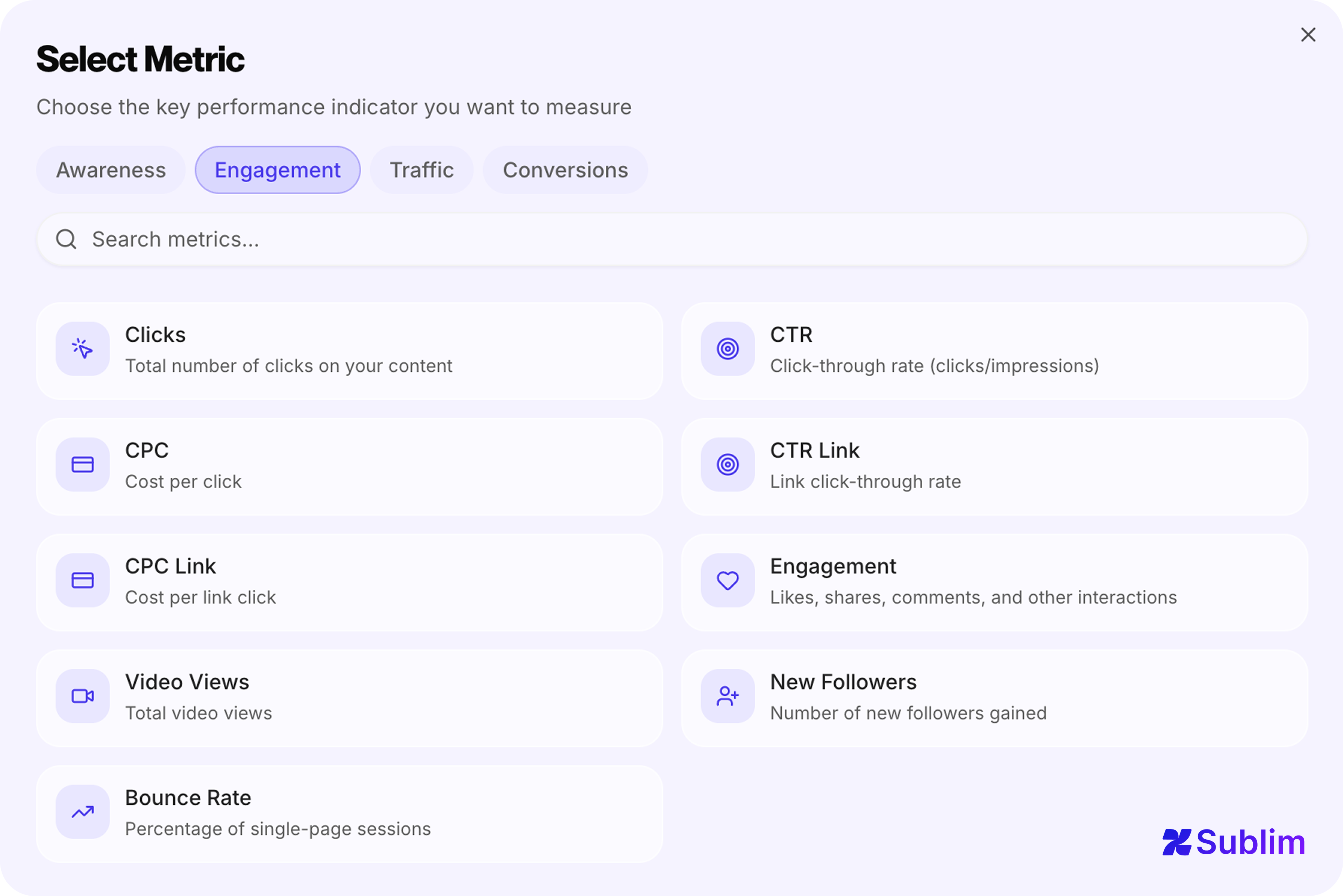 Obiettivi di engagement disponibili in Sublim: Clic, CTR, CPC, CTR Link, CPC Link, Engagement, Visualizzazioni video, Nuovi follower, Frequenza di rimbalzo
3. Obiettivi di traffico
Gli obiettivi di traffico si collocano tra engagement e conversione: misurano chi arriva sul tuo sito e da dove. Sono particolarmente utili per i team SEO e di contenuto che devono giustificare l'investimento sul canale prima che si accumulino i dati di conversione.
Esempi: visitatori unici, sessioni, visualizzazioni di pagina, durata media della sessione. "Raggiungere 25.000 visitatori organici al mese entro il Q4" è un obiettivo di traffico.
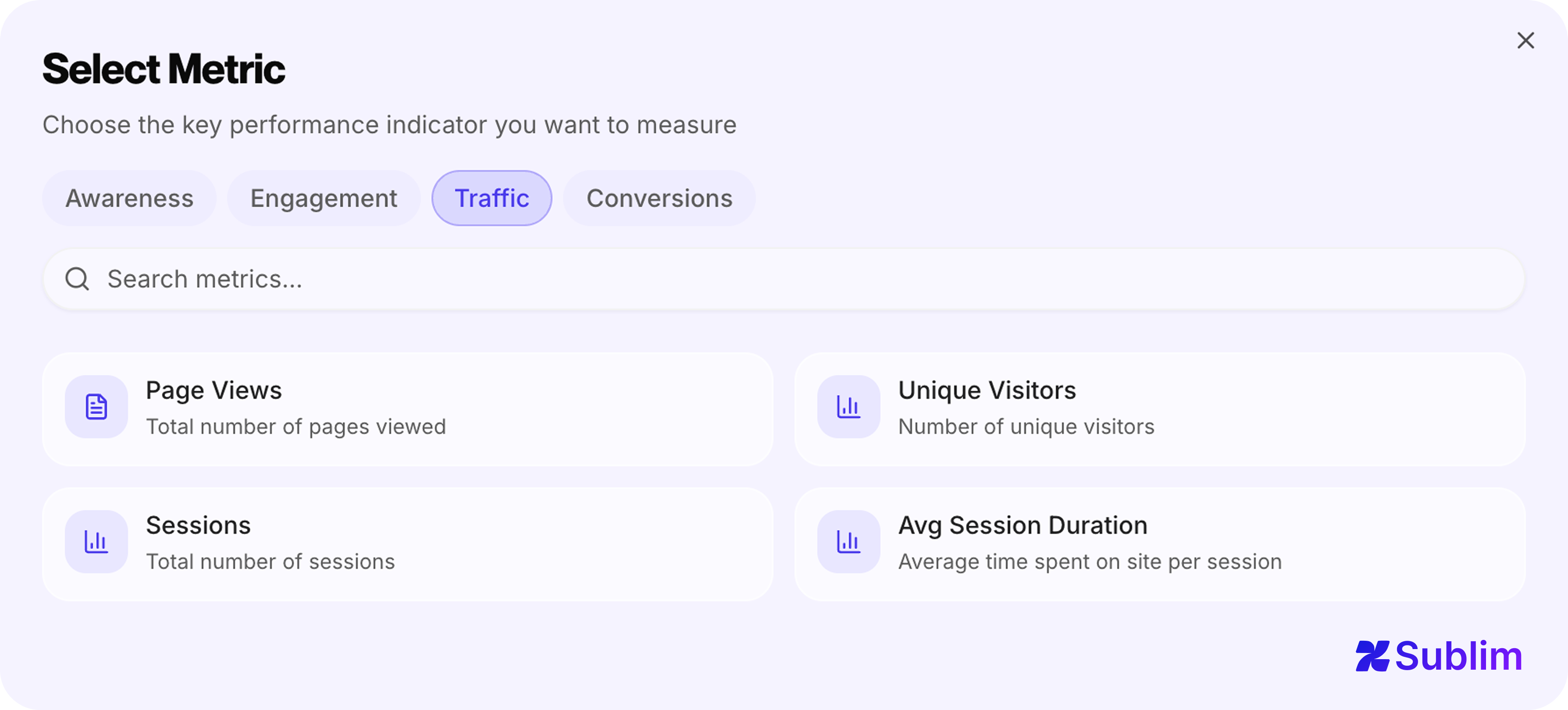 Obiettivi di traffico disponibili in Sublim: Visualizzazioni pagina, Visitatori unici, Sessioni, Durata media sessione
4. Obiettivi di conversione
Gli obiettivi di conversione misurano i risultati di business: lead, iscrizioni, acquisti, ricavi, ROI. Sono gli obiettivi da cui la maggior parte dei team parte, e spesso gli unici che monitora, il che crea un divario tra le metriche che interessano ai dirigenti e gli indicatori anticipatori che le predicono.
Esempi: lead, tasso di conversione, tasso di aggiunta al carrello, costo per lead, ricavi, ROI. "Generare 200 lead con un CPL inferiore a 45 € da Google Ads a giugno" è un obiettivo di conversione.
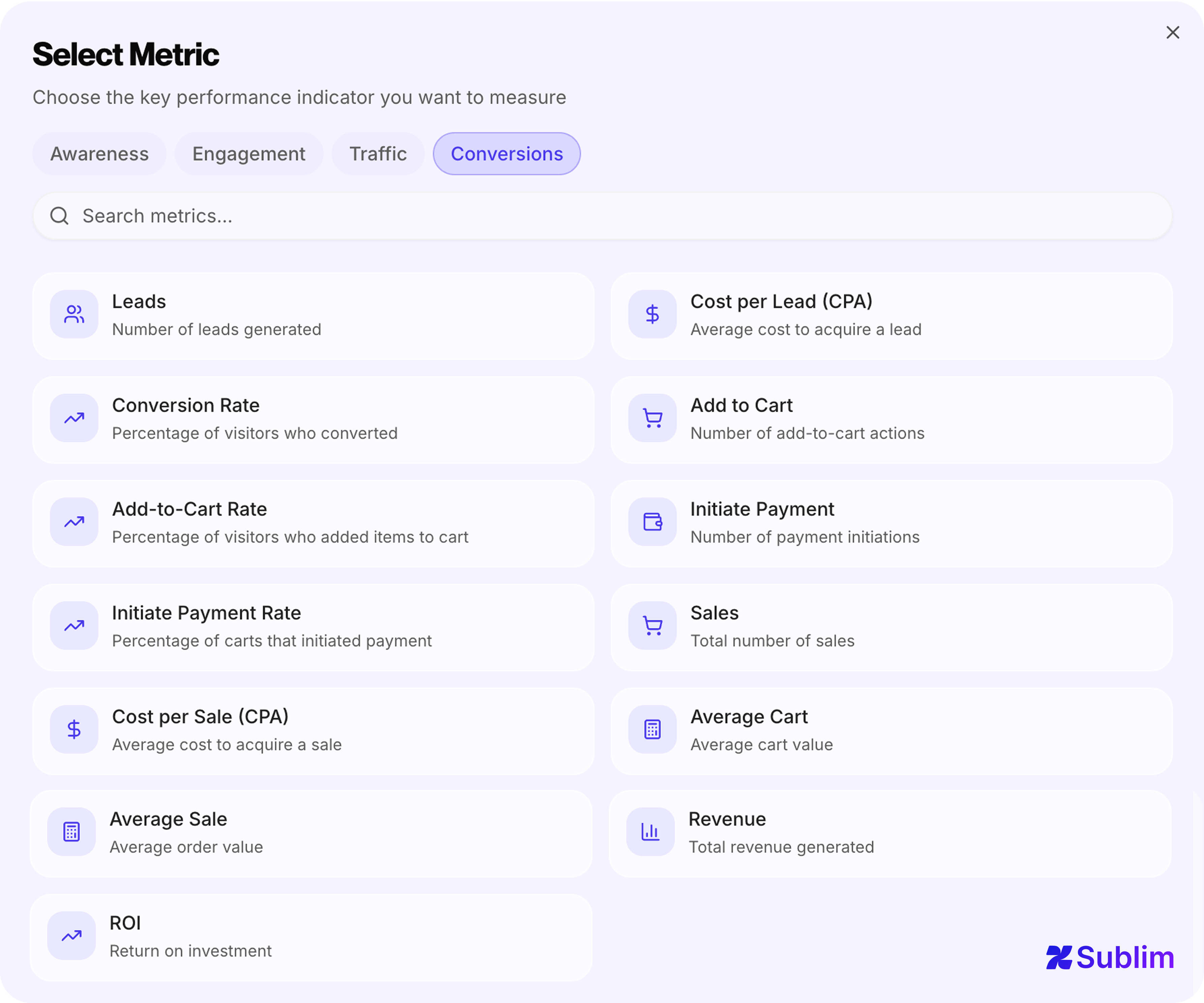 Obiettivi di conversione disponibili in Sublim: Lead, Costo per lead (CPA), Tasso di conversione, Aggiunta al carrello, Tasso di aggiunta al carrello, Avvio pagamento, Tasso di avvio pagamento, Vendite, Costo per vendita (CPA), Valore medio carrello, Vendita media, Ricavi, ROI
Perché la maggior parte degli strumenti ti limita agli obiettivi sbagliati
Google Analytics 4 traccia le "eventi chiave" (un tempo chiamati conversioni): eventi che contrassegni come importanti. Nessun valore target, nessuna scadenza, nessuna barra di avanzamento. Vedi se l'evento si è attivato; non vedi se sei sulla buona strada per raggiungere un numero entro una data. La funzione di esplorazione dei funnel di GA4 si avvicina, ma vive in un'interfaccia di esplorazione separata, non in un sistema di obiettivi persistente che puoi rivedere ogni settimana. Inoltre, GA4 applica il campionamento dei dati in molti dei suoi report una volta che il traffico supera determinate soglie, il che significa che i numeri mostrati sono stime anziché conteggi esatti, una limitazione spiegata in dettaglio nella nostra guida al campionamento dei dati GA4.
Matomo ha un modulo Obiettivi, ma è limitato a quattro tipi di trigger: URL di destinazione, tempo sul sito, numero di pagine per visita ed eventi personalizzati. Puoi contare quante volte un obiettivo è stato attivato; non puoi impostare un target di 150 lead entro il 30 giugno e monitorare i progressi. Non esiste nemmeno il concetto di categorie di obiettivi o obiettivi specifici per canale.
Plausible e Fathom adottano un approccio simile: gli obiettivi sono eventi personalizzati. Definisci un nome di evento e lo strumento conta le occorrenze. Nessun valore target, nessuna scadenza, nessun monitoraggio dei progressi, nessuna categoria di KPI. Per i team che hanno bisogno di più di un contatore di conversioni, questo è un limite raggiunto rapidamente.
Simple Analytics offre il tracciamento di eventi con marcatori di obiettivi, ma il sistema rimane basato sul conteggio senza supporto nativo per target o obiettivi con scadenza.
| Funzionalità | GA4 | Matomo | Plausible | Fathom | Simple Analytics | Sublim |
|---|---|---|---|---|---|---|
| Valore target numerico | No | No | No | No | No | Sì |
| Scadenza | No | No | No | No | No | Sì |
| Monitoraggio progressi | No | No | No | No | No | Sì |
| Categorie KPI | No | No | No | No | No | Sì |
| Obiettivi per canale | No | No | No | No | No | Sì |
Il pattern tra gli strumenti è coerente: la maggior parte tratta gli obiettivi come contatori di eventi piuttosto che come impegni strutturati con target e scadenze. Il limite è importante perché una vera operazione di marketing non ha cinque cose da misurare. Ne ha cinquanta. Un team che gestisce simultaneamente SEO, search a pagamento, social e email deve monitorare metriche specifiche per ogni canale (CTR organico da Google Search Console, costo per clic da Google Ads, durata della sessione dal social a pagamento) accanto alle metriche globali del sito come tasso di conversione e ricavi. Costringere tutto questo in una manciata di slot di eventi generici significa che la maggior parte rimane non misurata. Per i team che valutano attivamente le proprie opzioni, la nostra guida tratta le migliori alternative a Google Analytics nel 2026 e come ciascuna gestisce il problema del monitoraggio degli obiettivi.
La dimensione canale: perché un obiettivo per metrica non è sufficiente
Ecco un errore che costa a molti team preziose informazioni: impostare un unico obiettivo di tasso di conversione per l'intero sito, invece di obiettivi separati per canale.
Un tasso di conversione globale del 3,2% può nascondere realtà molto diverse: la ricerca organica converte al 5,1%, il paid al 2,8% e il social allo 0,4%. Se il tuo unico obiettivo è "tasso di conversione superiore al 3%", lo stai raggiungendo, ma stai anche perdendo il segnale che il tuo traffico social è quasi inutile e che il tuo SEO sta significativamente sovraperformando la sua allocazione di budget.
L'approccio giusto è avere obiettivi specifici per canale: un obiettivo di conversione per l'organico, uno separato per il paid, un altro per l'email. Quando divergono, hai un insight azionabile. Quando si muovono tutti insieme, hai un cambiamento a livello di sito da investigare.
Micro-obiettivi: gli indicatori anticipatori che i tuoi obiettivi di conversione non mostrano
Gli obiettivi di conversione sono indicatori ritardati. Quando il volume mensile di lead è il 40% sotto target il giorno 25, è già troppo tardi per correggere la rotta quel mese. I micro-obiettivi ti danno segnali più precoci.
Un micro-obiettivo è un'azione più piccola che correla con la conversione finale. Per un prodotto SaaS, le persone che visitano la pagina dei prezzi tre volte hanno molte più probabilità di iscriversi rispetto a chi la visita una volta. Le persone che fanno scroll oltre il 75% di un case study sono più coinvolte della media. Questi comportamenti sono misurabili, e tracciarli come obiettivi espliciti ti permette di vedere i problemi di conversione formarsi due o tre settimane prima che appaiano nei tuoi numeri di conversione.
Micro-obiettivi pratici da considerare accanto al tuo obiettivo di conversione principale:
- Visite alla pagina dei prezzi (obiettivo URL)
- Clic sul pulsante demo (obiettivo clic)
- Profondità di scroll di un case study superiore al 75% (obiettivo di engagement)
- Più di due sessioni per visitatore in una finestra di 7 giorni (obiettivo di engagement ricorrente)
Quando il volume dei micro-obiettivi cala mentre il traffico rimane stabile, hai un problema di contenuto o UX in sviluppo, non un problema di traffico. Questa distinzione determina completamente la tua risposta.
Quanti obiettivi dovresti impostare?
Il punto di fallimento di un sistema di obiettivi illimitato è impostare obiettivi illimitati. Quando tutto è una priorità, niente lo è.
Una regola pratica utile: non più di tre-cinque obiettivi dovrebbero essere "in focus" in un dato momento, anche se nel sistema ne esistono di più. Gli altri vengono monitorati passivamente e rivisti con meno frequenza. A livello di team, ogni persona o team dovrebbe avere tra due e cinque obiettivi attivi direttamente collegati al proprio lavoro.
Cosa dovrebbe contenere il sistema di obiettivi:
| Tipo di obiettivo | Quantità consigliata | Esempio |
|---|---|---|
| Obiettivi di conversione principali | 1–2 | 150 registrazioni di prova dall'organico entro il 31 luglio |
| Obiettivo di traffico per canale attivo | 1 per canale | 25.000 visitatori organici al mese entro il Q4 |
| Micro-obiettivi (indicatori anticipatori) | 2–3 | Visite alla pagina dei prezzi superiori a 500 al mese |
| Obiettivi di campagna | 1 per campagna | 500.000 impressioni nei primi 30 giorni |
Gli obiettivi senza scadenza tendono a derivare. Ogni obiettivo dovrebbe averne una, anche se è solo "fine trimestre".
La revisione settimanale degli obiettivi: un processo di 10 minuti
Gli obiettivi sono utili solo se qualcuno li guarda. I team che traggono valore dal monitoraggio degli obiettivi hanno una cadenza di revisione costante: non una riunione mensile di tutti dove i dati sono già obsoleti, ma un check settimanale di 10 minuti che mantiene gli obiettivi collegati alle decisioni quotidiane.
La revisione ha tre domande:
Collegare gli obiettivi ai tuoi dati di analytics automaticamente
La ragione più comune per cui il monitoraggio degli obiettivi fallisce in pratica è il problema dell'aggiornamento manuale. Quando monitorare i progressi richiede a qualcuno di accedere, estrarre un numero da uno strumento e incollarlo in un altro, non avviene in modo coerente. I dati diventano obsoleti, l'obiettivo perde credibilità e il team smette di guardarlo.
La soluzione è il monitoraggio automatico dei progressi: obiettivi che recuperano il loro valore corrente direttamente dalle fonti dati collegate. Obiettivi di traffico organico che si aggiornano da Google Search Console. Obiettivi di campagne a pagamento che si sincronizzano da Google Ads o Meta Ads. Obiettivi di conversione globali calcolati in tempo reale dal flusso di eventi di analytics.
Quando la barra di avanzamento si aggiorna da sola, la revisione settimanale diventa una questione di lettura, non di raccolta dati. Questa è la differenza tra un sistema di obiettivi che i team usano e uno che abbandonano dopo il primo mese.