The real cost of managing client analytics in GA4
For most agencies, "analytics management" means logging into ten different Google accounts, navigating properties configured differently by whoever set them up, exporting data into spreadsheets, and manually building reports that look the same every month. That is before you factor in GDPR compliance across each GA4 client.
The overhead is not from analytics itself. It is from the tooling. GA4 was designed for a single organization's internal analytics team, not for an agency managing a portfolio of clients. Every workflow (access management, reporting, configuration) requires manual work that does not scale.
Agencies that manually produce monthly analytics reports typically spend 4 to 6 hours per client, per month, on the reporting side alone. Across a portfolio of 15 clients, that is a full working week every month that generates no billable revenue and creates no strategic value.
What agencies actually need from an analytics tool
A tool designed for in-house teams optimizes for depth of insight on a single property. A tool built for agencies optimizes for breadth across many properties, operational efficiency, and the ability to produce client-facing output without friction.
The requirements diverge on five dimensions:
How Sublim works for agencies
One workspace for all your clients
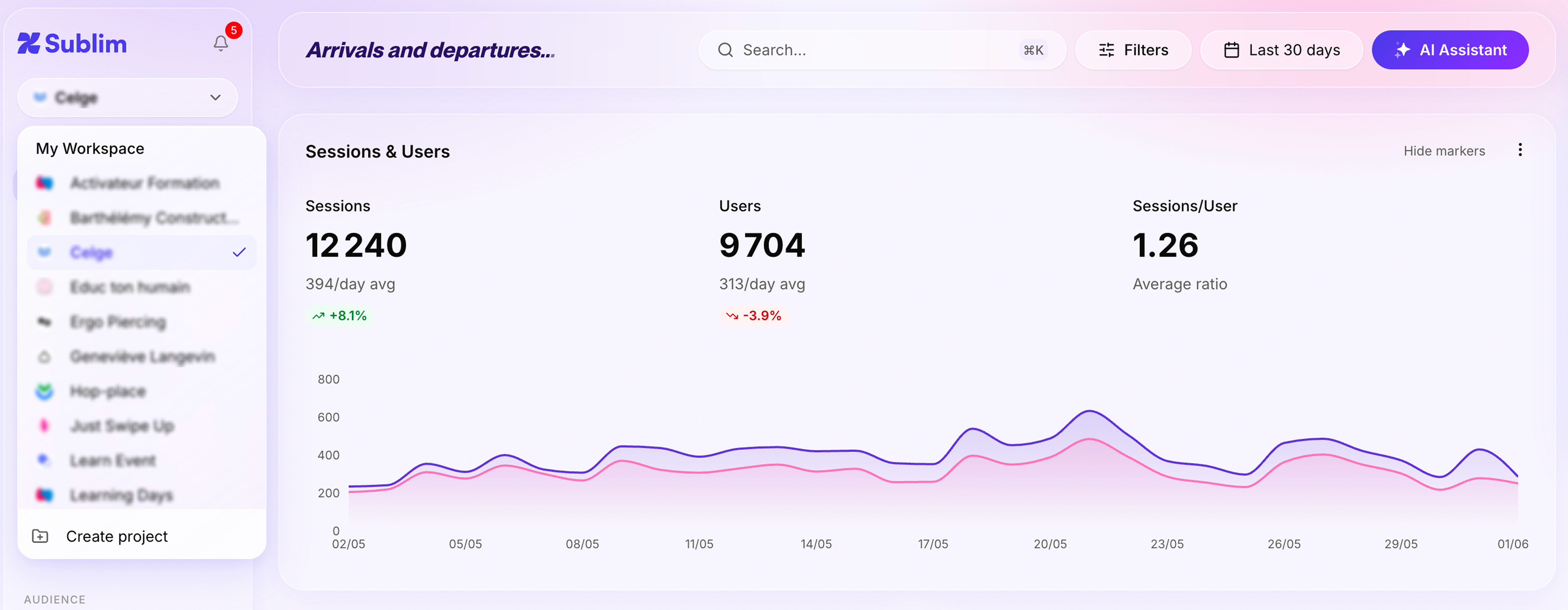
Sublim organizes all client sites as separate projects inside a single agency workspace. Each project has its own dashboard, its own goals, its own session recordings, and its own automated reports. There is no account switching, no property lookup, no risk of one client's data appearing in another's view.
From the workspace overview, you see the performance of your entire portfolio at a glance: traffic trends, conversion rates, alert statuses. A project manager working on three clients sees only those three. The agency director sees everything.
Roles and permissions that match your team structure
Sublim handles access at the project level. Each team member or client is invited per project with one of three roles:
- Admin: full access to the project, can configure goals, manage members, and edit everything
- Member: can view and interact with the project, suitable for the team members actively working on it
- Viewer: read-only access, cannot edit anything
Inviting a client directly to their project as a Viewer (the default when sending an invite) gives them access to their own dashboard, their conversion numbers, their traffic sources, and nothing else. They do not see your other projects, your billing, or any other client's data.
Automated reporting: stop spending Fridays on PDFs
Reports in Sublim can be scheduled per client and sent automatically by email: weekly, biweekly, or monthly. The report includes the metrics and date range you configure: traffic, conversions, top pages, acquisition channels. Your client receives a professional PDF with their data, on schedule, without anyone on your team pulling numbers manually.
For agencies currently spending 4 to 6 hours per client per month on reporting, this recovers significant capacity. At 15 clients, that is 60 to 90 hours per month redirected to billable work.
| Workflow | GA4 (multi-client) See comparison → |
Sublim (agency workspace) Try Sublim for free → |
|---|---|---|
| Client onboarding | New GA property, 30–60 min setup | New project, 5 min |
| Access management | Per account, manual per user | Workspace-level roles |
| Monthly reporting | Manual export + formatting | Scheduled, sent automatically |
| GDPR compliance | Configured per client | Handled by default (EU-hosted) |
| Client access | Separate Google account required | Read-only invite, no account needed |
| Portfolio overview | No cross-property view | Workspace dashboard |
New services you can sell because of Sublim
This is the part most agencies do not anticipate when they first switch tools. When your analytics infrastructure is automated and centralized, the marginal cost of adding a client drops significantly. The features Sublim provides become services you can sell.
GDPR compliance as a pitch argument
Many agencies have found that "our analytics stack is GDPR-compliant by default" is a stronger differentiator than they expected in pitches and tenders.
In France, Germany, and the Netherlands, CNIL or Datenschutz compliance often comes up in procurement or legal review. An agency that can show its entire stack is EU-hosted and consent-banner-free answers that question before it becomes a blocker. For clients that have been flagged by their legal team about Google Analytics, an agency that proposes a migration to a compliant alternative is solving a real problem, not just offering a nicer dashboard.
For a detailed breakdown of how cookieless analytics eliminates the consent banner requirement, see our article on running analytics without a consent banner.
Getting your first client started
The practical steps to move a client from GA4 to Sublim:
The parallel run matters. Clients who see both tools reporting consistent traffic numbers are far easier to migrate fully than clients asked to make a blind switch. After two or three consistent weeks, the conversation moves from "can we trust this?" to "when do we turn off GA4?"
If data accuracy during the transition matters to your clients, it helps to understand how GA4 data sampling may already be affecting the numbers they see today.
The Sublim for agencies page covers the full feature set and pricing for agency plans.