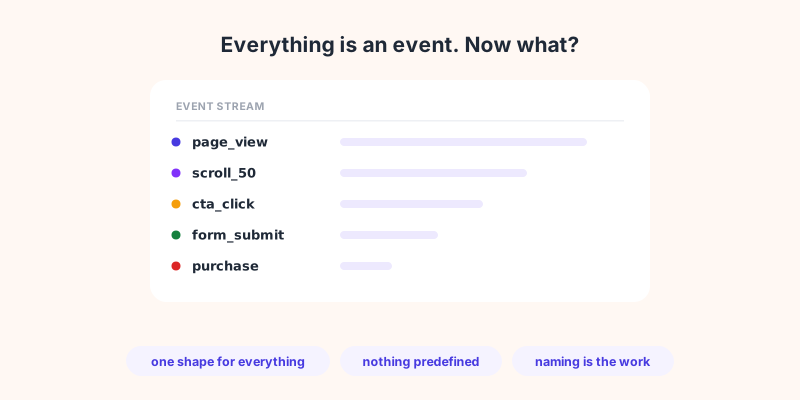
Open any analytics tool built in the last five years and you will be told the same thing: everything is an event. A page view is an event. A scroll is an event. A purchase is an event. It sounds like a technical detail for the developer to worry about. It is not. It changes what you can measure, what you get for free, and how much work sits between you and a usable report.
GA4 made this the default for most of the web, and plenty of teams migrated without ever being told what the model actually implies. This article explains what event-based analytics really is, what it genuinely buys you, what it quietly breaks, and where the older way of thinking still has the better answer.
What event-based analytics actually means
The question is how your tool stores a visit. Three models have dominated, in order.
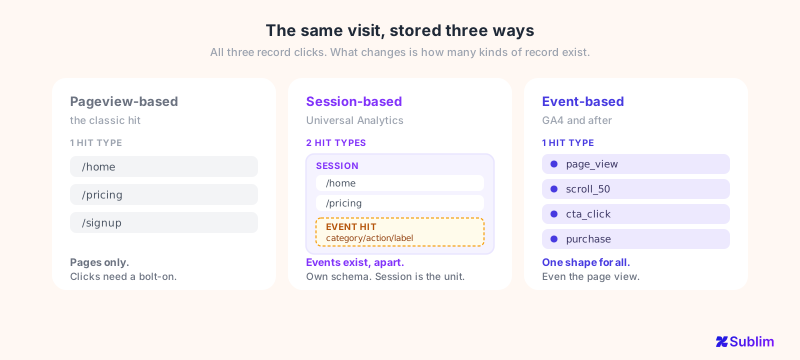
Pageview-based. The tool records one hit per page loaded. You get where people went and in what order. Anything that is not a page load, a click on a button, a video played, a form started and abandoned, is invisible unless you bolt on extra tracking.
Session-based. The tool groups those page views into a session, a visit with a start and an end. Events exist here too, and this is where the confusion usually starts: Universal Analytics tracked button clicks perfectly well. But an event was a second kind of hit, with its own rigid schema of category, action and label, hanging off a session that stayed the unit of record. Bounce rate, session duration and pages per session all exist because the session is the thing being counted.
Event-based. There is only one kind of hit left. A page view, a scroll, a click and a purchase are all the same record: a name, a timestamp, and whatever parameters you attached. The page view has no special status any more, it is simply an event that happens to be called page_view. Sessions still exist, but they are computed from the stream rather than being the thing that gets stored.
So the shift is not that events appeared. It is that the number of record types went from two to one, and the page view lost its privileged place.
That last shift is the whole thing. Once a page view stops being special, the tool has no opinion about what matters on your site. Which is both the gift and the bill.
What the model genuinely buys you
It would be unfair to present this as a downgrade. Event-based analytics solves real problems that the session model could not.
- One shape for everything. A video play, a filter applied, a plan selected and a signup are all stored identically, so they can all be counted, segmented and funnelled the same way. Under the session model, anything that was not a page view was a second-class citizen.
- No ceiling on what you can measure. If your product lives in one page, the pageview model sees a single visit and nothing else. The event model sees every meaningful action. For any app-like interface, this is the difference between having data and not.
- Funnels across anything. Because steps are just events, a funnel can mix page visits and custom actions freely: landed on pricing, opened the plan selector, started checkout, purchased. You are no longer restricted to sequences of URLs.
- The same model across web and app. A session means something different in a mobile app than on a website. An event does not, which is why cross-platform tools converged on it.
What it breaks
Here is the part the migration guides skip.
Nothing is defined until you define it. Under the session model, the tool knew what a page view was, so reports existed on day one. In a pure event model, the tool knows only what you told it. If nobody names and sends an event for "quote requested", no report will ever show quote requests, and nothing will warn you that the number is missing rather than zero.
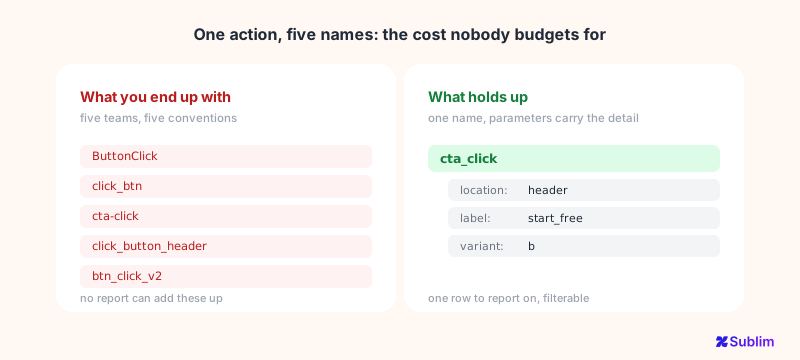
Naming becomes the actual job. This is the failure nobody budgets for. Three teams instrument the same button over a year and you end up with five event names for one action. None of them aggregate. Every report has to pick one and silently undercount.
Cardinality turns into a real constraint. Pushing an order ID or a full URL into a parameter feels harmless. At volume it produces thousands of distinct values, and tools respond by capping, grouping into an "other" bucket, or dropping the detail. The data looks complete and is not.
Your history stops comparing. A session-based "bounce rate" and an event-based "engagement rate" are not the same measurement, so year-on-year comparisons across a migration are reporting on two different definitions. Worth knowing before someone presents that chart to a board.
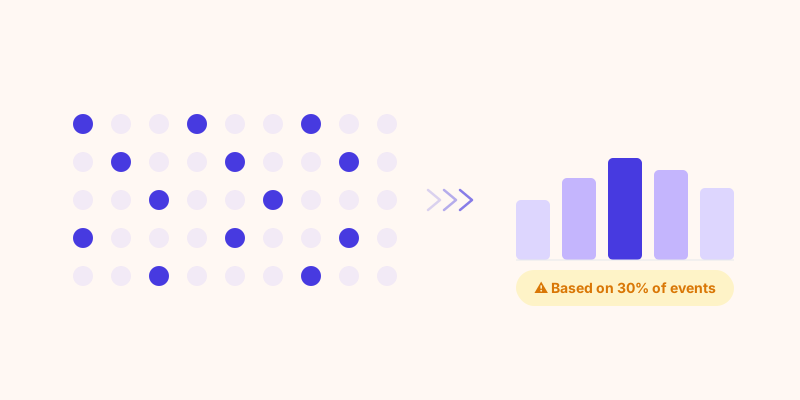
More rows means more estimating. Event models multiply the number of records, and some tools answer large queries by sampling them. If you are on GA4, that is not hypothetical: its exploration reports are sampled above a threshold, which is a separate problem worth understanding on its own (see why GA4 reports are estimates).
Three models, what you actually get
Side by side, on the points that decide your week:
| Pageview-based | Session-based | Event-based | |
|---|---|---|---|
| Useful reports on day one | Yes | Yes | Only what you instrumented |
| Measures non-page actions | No | Bolted on | Native |
| Works for single-page apps | No | Partly | Yes |
| Funnels mixing pages and actions | No | Limited | Yes |
| Setup effort before value | None | Low | Ongoing |
| Survives three teams and two years | Nothing to drift | Some drift | Needs a naming convention |
| Comparable across web and app | No | No | Yes |
Three of those seven rows do not go the event model's way, and they are the easiest to underestimate when you pick a tool. It wins on capability and loses on discipline, and discipline is the one that fails quietly.
When the older thinking still wins
Being straight about it: plenty of sites were better served by the model they were migrated away from.
If your site is a few dozen content pages and a contact form, the interesting questions are which pages pull traffic, which ones lose people, and how many enquiries arrived. Those are pageview and session questions. An event model answers them too, but it asks you to configure your way back to information you used to get for free.
Session thinking also remains the right lens whenever the unit of value really is the visit. For media, documentation and most content marketing, "how deep did this visit go" is the question, and that is a session-shaped thought no matter how the data is stored underneath.
The honest rule: the more your site behaves like an application, the more the event model earns its cost. The more it behaves like a set of documents, the more that cost is pure overhead.
How Sublim helps
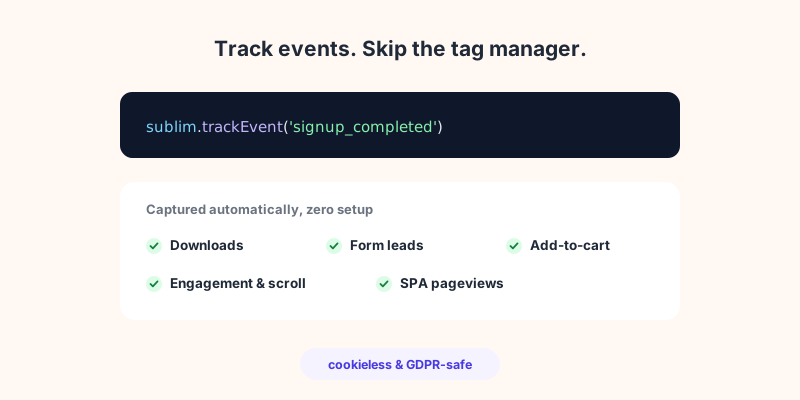
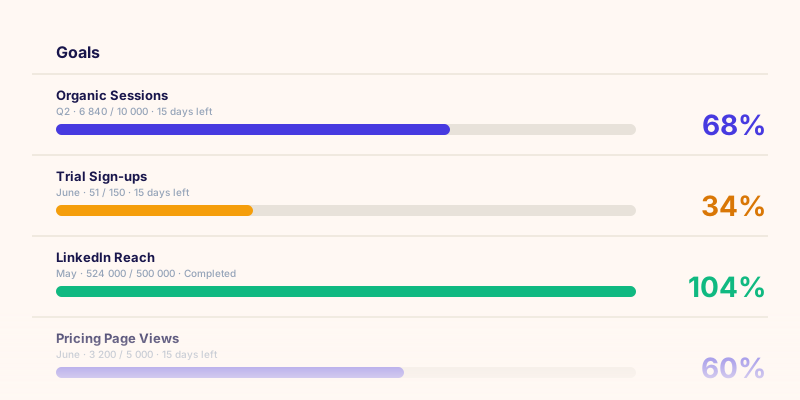
Sublim takes the useful half of the event model without handing you the blank page. The common events are captured the moment the script loads, so page views, engagement, downloads, form leads and add-to-cart are there before anyone defines anything, and your core reports work on day one. Beyond that, a custom event is a single sublim.trackEvent() call with optional parameters and revenue, and you can list the event names your site has actually recorded rather than guessing at what was instrumented, which is usually how naming drift gets caught. Funnels take page visits and custom events as steps interchangeably, and pairing an event with a goal turns it into a conversion you can report on. If you would rather not route any of this through a tag manager, that path is covered too (see event tracking without GTM).