Almost every guide to event tracking opens the same way: "first, install Google Tag Manager." Then come the tags, the triggers, the variables, the data layer, the container versions, and the consent wiring. For a huge number of sites, that whole apparatus is overkill for what you actually want, which is to know when people download the PDF, submit the form, or hit "buy".
Event tracking is simply recording specific actions people take, beyond just loading a page. This guide separates the two kinds of events (the ones a good analytics tool captures on its own, and the custom ones you define), shows how to send a custom event with a single line of JavaScript, and is honest about the few cases where a tag manager still earns its place.
Pageviews vs events: what you are actually tracking
A pageview tells you someone loaded a URL. An event tells you they did something: clicked a download, submitted a lead form, added a product to the cart, played a video, finished signup. Pageviews measure reach; events measure behavior and conversions.
Events come in two flavours, and confusing them is why setups get complicated:
The mistake is reaching for a heavy tag manager to handle both, when the first kind should be free and the second should be one line.
Why everyone reaches for Google Tag Manager (and what it costs)
Google Tag Manager is a genuinely powerful tool: a container you drop on your site so you can add and change tags without editing code. For orchestrating dozens of marketing and advertising tags across a big team, it's the right call. The problem is that it became the default answer to "how do I track a button click", and for that it's a lot of overhead:
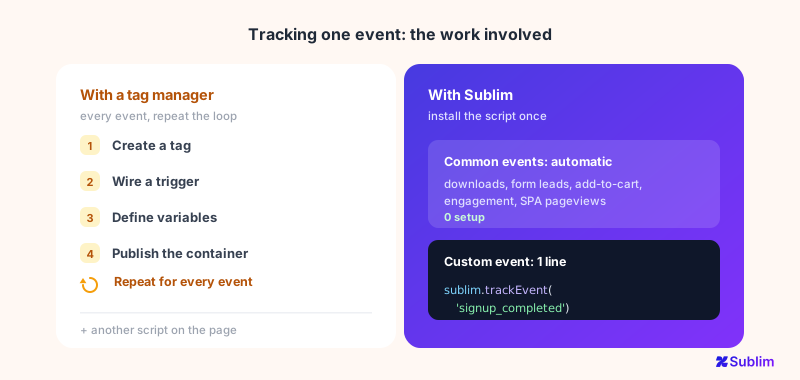
- Every event is a project. To track one action you create a tag, wire a trigger, often define one or more variables, then publish a new container version. Multiply by every event you care about.
- Another script to load. The container is extra JavaScript that grows over time, and it sits on the critical path of your page.
- Consent and privacy wiring. Because GTM is often used to fire advertising and third-party tags, you inherit consent-mode complexity and a bigger GDPR surface (see analytics without a consent banner).
- Maintenance and drift. Triggers silently break when the site changes, and nobody notices until the data goes quiet.
None of this is wrong. It's just disproportionate when all you needed was to know how many people downloaded the brochure.
What you can track without touching a tag manager
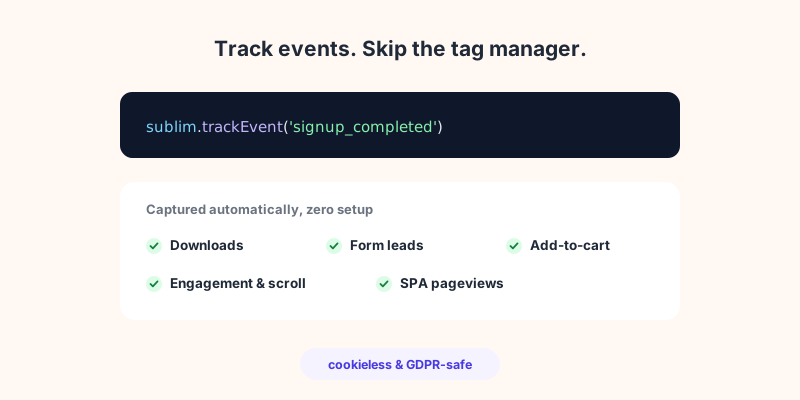
Most of the events teams set up in GTM are the predictable ones, and a modern analytics script can capture them automatically the moment it loads. With Sublim, these are on by default, no tags, no triggers:
- Pageviews, including SPA route changes. Single-page apps that change the URL without a reload are tracked without extra work.
- Engagement. Real time-on-page and scroll depth, so you can tell a genuine read from a bounce.
- File downloads. Clicks on links ending in PDF, XLSX, ZIP, MP4 and 30-plus other extensions.
- Form submissions. Lead forms (any form with an email or phone field), captured as metadata only: the technical field names (the HTML
nameattribute, such asemailorphone), their types and count, and the form's action, never what visitors type. Sensitive fields like passwords, card numbers and CVV are excluded entirely, even from that list of names. - Add-to-cart and cart value. Detected across 18-plus languages, pulling product data and revenue from JSON-LD, microdata or the page.
That list already covers the majority of "events" most marketing sites ever wanted. You get them by installing one small script, the same one that does your analytics, not by building anything.
Custom events: one line of JavaScript
For the actions that are unique to your product, you send a custom event directly. No tag, no trigger, no container publish, just a function call where the action happens:
// A simple custom event
sublim.trackEvent('signup_completed', {
  props: { plan: 'pro', source: 'landing_page' }
})

// A custom event with revenue attached
sublim.trackEvent('purchase', {
  props: { product: 'T-shirt' },
  revenue: { amount: 29.99, currency: 'EUR' }
})
That's the entire API. You pick the event name, props adds optional details you can filter or segment by later (for example, sign-ups broken down by plan), and the optional revenue block attaches an amount so the action counts toward your revenue. Getting the same result in a tag manager means building a tag, a trigger and usually a variable, then publishing the container.
Already invested in GTM or GA4? Reuse your data layer
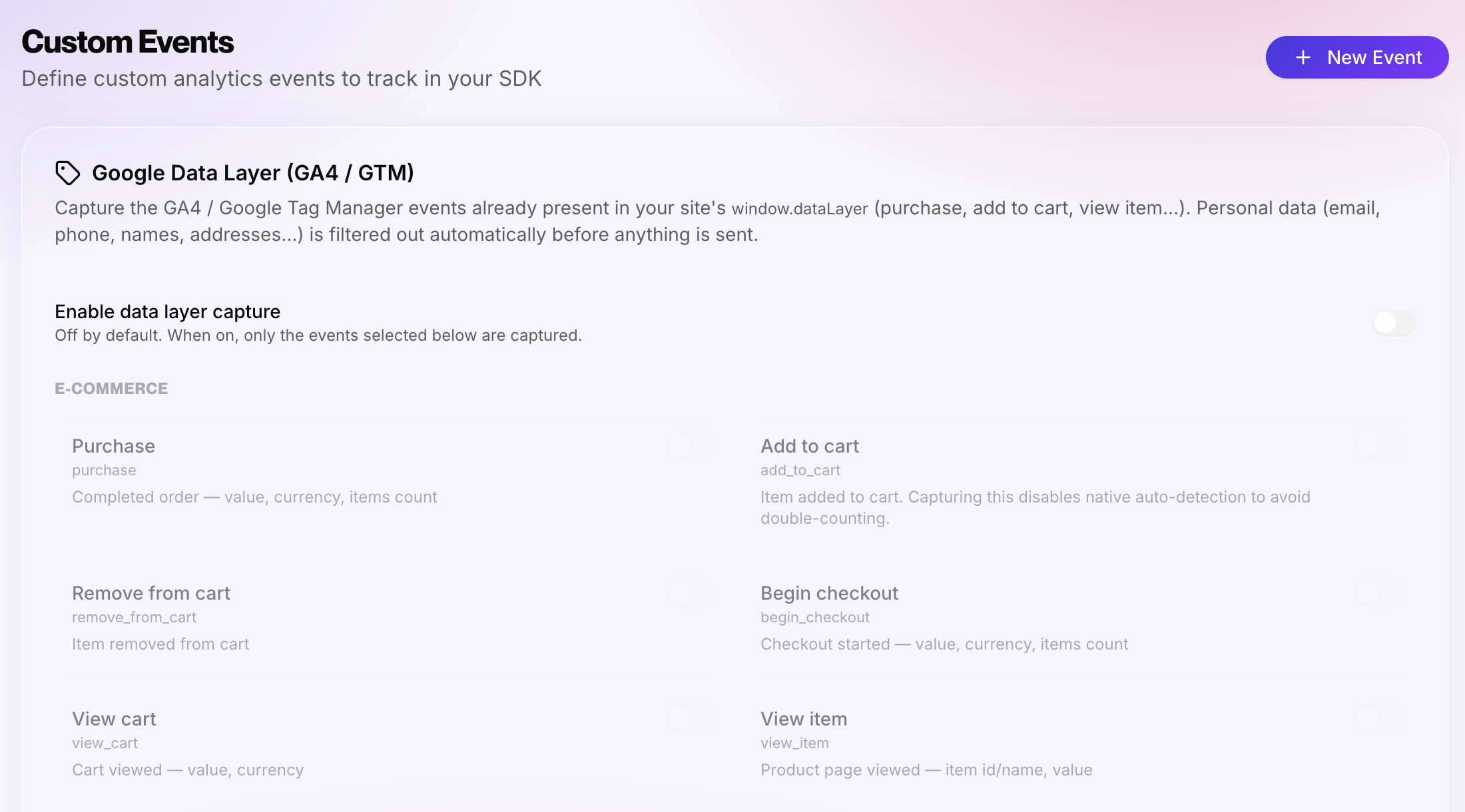
If you already run Google Tag Manager or GA4, you probably have a dataLayer full of events you spent time instrumenting. You don't have to redo that work. Sublim can optionally read the events already flowing through window.dataLayer (purchases, add-to-cart, sign-ups, and so on) and record them alongside its own, mapped to clean event names.
It's off by default and enabled per project, and it stays privacy-safe: personal data is filtered out before anything is sent, and if you use Google's Consent Mode, capture is held back until analytics consent is granted. So whether you have a tag manager or not, you're covered: keep your existing dataLayer, or skip the whole thing.
When you still genuinely need a tag manager
Being honest: a tag manager still earns its place in some setups, and Sublim doesn't try to replace it there.
- Orchestrating many third-party tags. If you're firing a dozen advertising and remarketing pixels (Google Ads, Meta, LinkedIn, floodlight) and need to manage them centrally, that's exactly what GTM is for.
- Server-side tagging. Routing events through a server-side container for control and resilience is a real, advanced use case.
- Non-analytics tags. Injecting scripts unrelated to measurement (A/B testing tools, chat widgets, affiliate tags) is tag-manager territory.
The point isn't that tag managers are bad. It's that they're an advertising and tag-orchestration tool, and using one purely to count downloads and form fills is paying a complexity tax you don't owe.
How Sublim helps
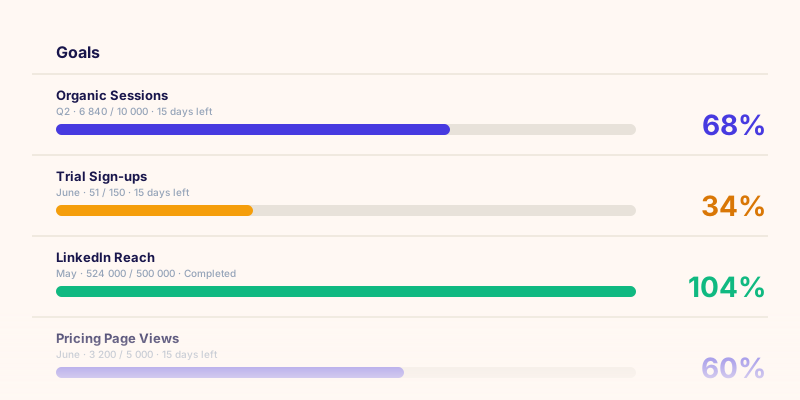
Sublim is built so that event tracking isn't a project. The common events (downloads, form leads, add-to-cart, engagement) are captured automatically the moment the script loads, so a non-technical marketer sees them without asking a developer for anything. Custom events are a single sublim.trackEvent() call for a developer to drop in where it matters, with optional revenue so conversions carry their value. And because it's cookieless and captures no field values, you get this without the consent-banner and GDPR baggage that usually rides along with a tag manager. Pair your events with goals and each meaningful action becomes a conversion you can actually report on.