Most teams using web analytics have between zero and three goals configured. Those who have zero are flying blind. Those who have three usually set them up during the initial tool configuration and never touched them again. Neither group is getting what goals are actually for.
An analytics goal is a measurable commitment: a specific outcome, a target value, and a deadline. Not "we want more conversions," but "we want 150 trial sign-ups from organic search by July 31st." The difference between those two statements is the difference between data that decorates a dashboard and data that changes a decision.
This guide covers how to define goals that actually drive action, which categories of goals matter across a full marketing funnel, why tying goals to specific channels changes how you read your analytics, and how to build a review rhythm that keeps goals from becoming stale.
What an analytics goal actually is
In web analytics, a goal (sometimes called a conversion or KPI target) is a predefined metric with a target value that you measure over a specific time period. When someone fills out your contact form, that is a conversion event. When you say "I want 80 form submissions this month," that is a goal.
Goals serve three functions that raw metrics cannot:
- They force specificity. "Increase traffic" is not a goal. "Reach 10,000 unique visitors from organic by Q3" is.
- They create accountability. A metric with no target is just a number. A target makes the number pass or fail.
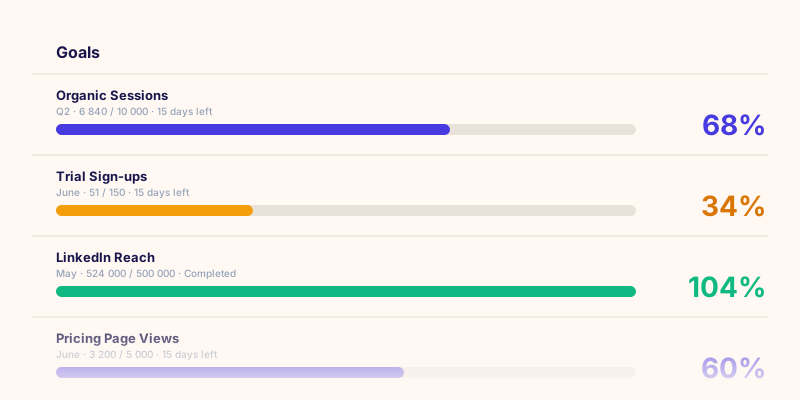
- They surface what to act on. When you are at 34% of your monthly lead target on day 20, that is a signal to do something, not to wait and see.
The four categories of goals you should be tracking
A complete goal framework covers the full funnel, from the first time someone sees your brand to the moment they convert and beyond. Goals that only live at the bottom of the funnel (conversions) miss the early signals that predict whether conversion volume will hold next month.
1. Awareness goals
Awareness goals measure reach: how many people are being exposed to your brand, and at what cost and frequency. These matter most for teams running paid campaigns or building organic presence from scratch.
Examples: reach, impressions, frequency, CPM. A typical awareness goal for a paid campaign might be "500,000 impressions in the first 30 days."
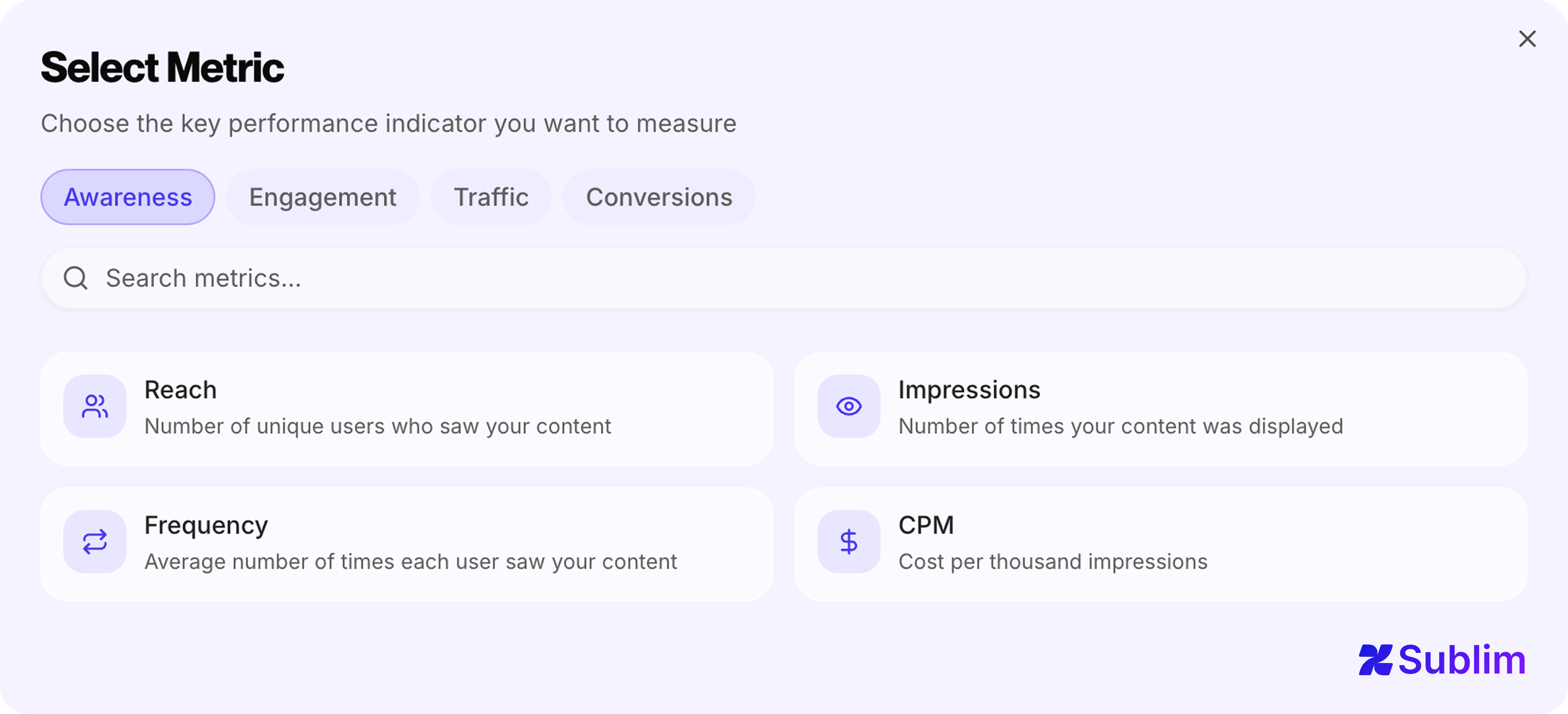 Awareness goals available in Sublim: Reach, Impressions, Frequency, CPM
2. Engagement goals
Engagement goals measure what people do after they see you: clicks, video views, new followers, bounce rate. These are the bridge between awareness and conversion: the signals that tell you whether the content is landing before you see it in the conversion numbers.
Examples: clicks, CTR, CPC, video views, engagement actions, new followers. "Reach a 4.5% click-through rate on the new landing page" is an engagement goal.
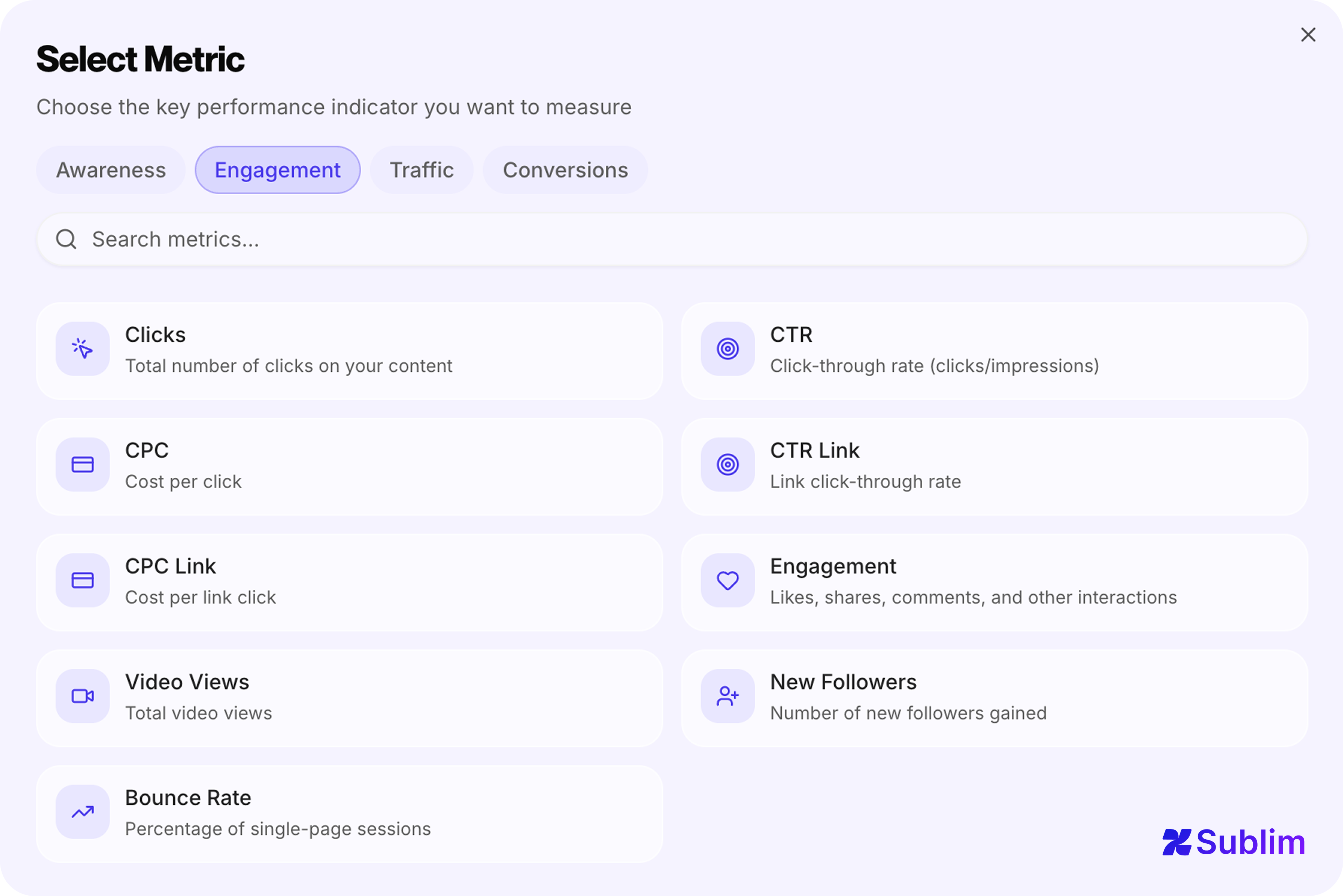 Engagement goals available in Sublim: Clicks, CTR, CPC, CTR Link, CPC Link, Engagement, Video Views, New Followers, Bounce Rate
3. Traffic goals
Traffic goals sit between engagement and conversion: they measure who is arriving on your site and from where. They are particularly useful for SEO and content teams who need to justify channel investment before conversion data accumulates.
Examples: unique visitors, sessions, pageviews, average session duration. "Reach 25,000 organic visitors per month by Q4" is a traffic goal.
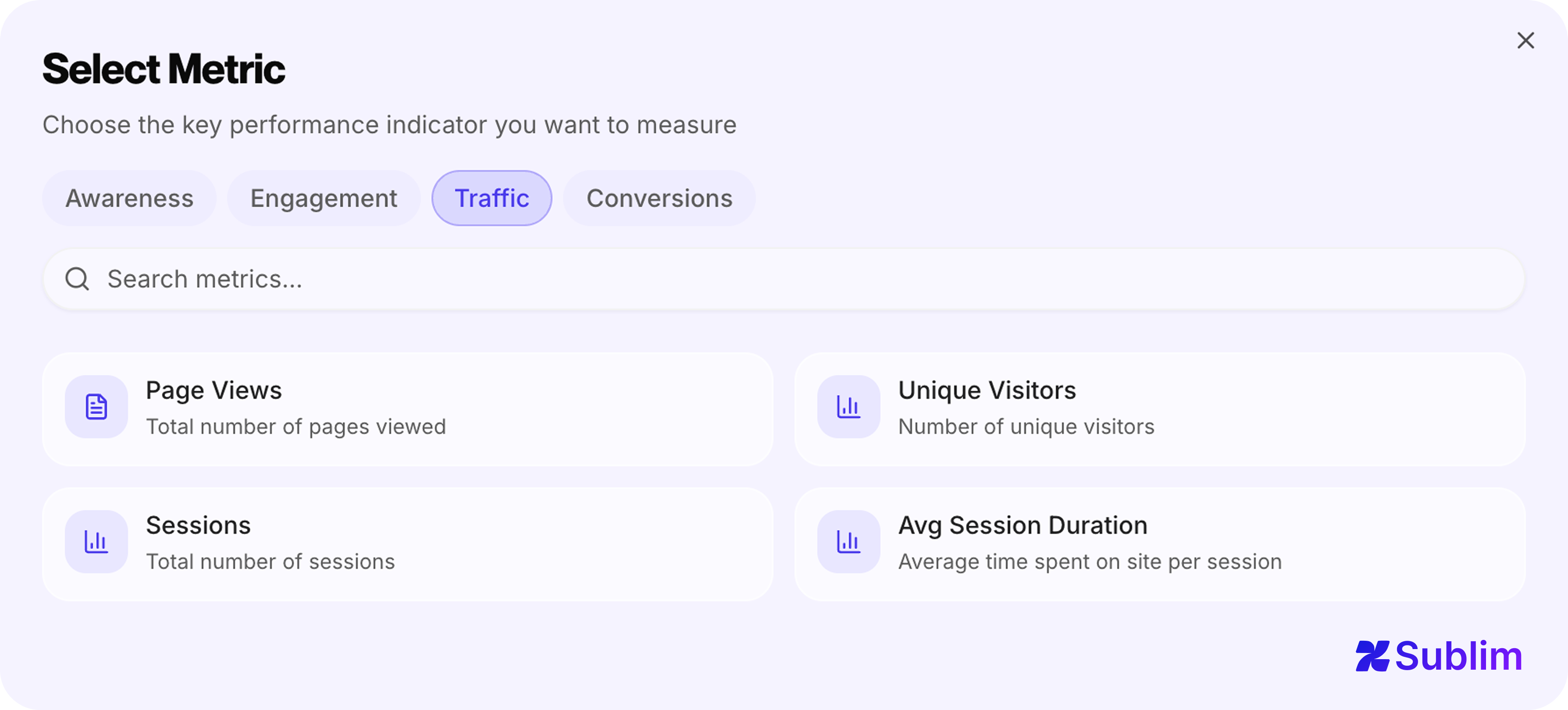 Traffic goals available in Sublim: Page Views, Unique Visitors, Sessions, Avg Session Duration
4. Conversion goals
Conversion goals measure business outcomes: leads, sign-ups, purchases, revenue, ROI. These are the goals most teams start with, and often the only goals they track, which creates a gap between the metrics executives care about and the leading indicators that predict them.
Examples: leads, conversion rate, add-to-cart rate, cost per lead, revenue, ROI. "Generate 200 leads at a CPL below €45 from Google Ads in June" is a conversion goal.
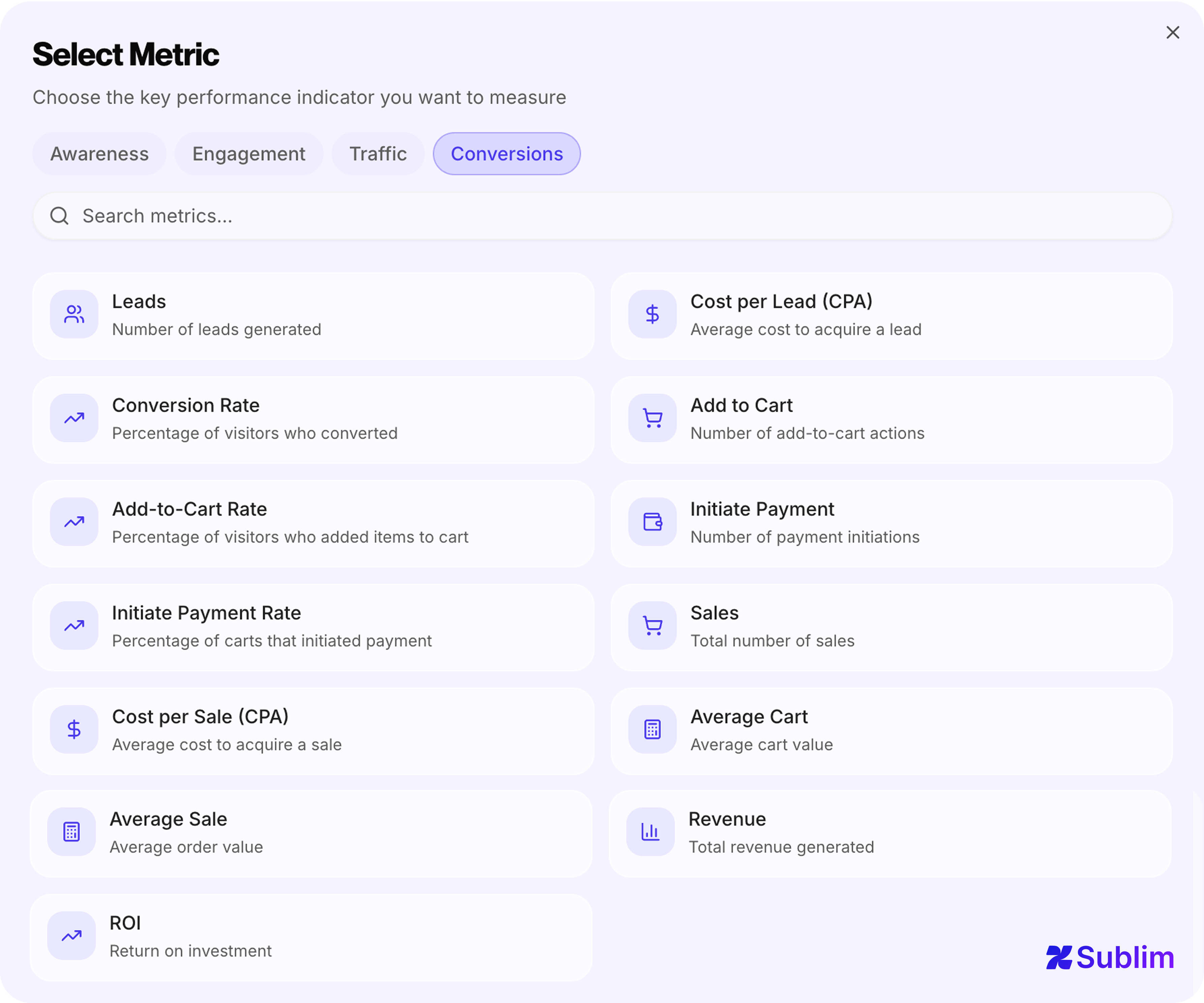 Conversion goals available in Sublim: Leads, Cost per Lead (CPA), Conversion Rate, Add to Cart, Add-to-Cart Rate, Initiate Payment, Initiate Payment Rate, Sales, Cost per Sale (CPA), Average Cart, Average Sale, Revenue, ROI
Why most tools limit you to the wrong goals
Google Analytics 4 tracks "key events" (formerly called conversions): events you mark as important. There is no target value, no deadline, no progress bar. You see whether the event fired; you do not see whether you are on track to hit a number by a date. GA4's funnel exploration feature comes close, but it lives in a separate exploration interface, not in a persistent goal system you can review weekly. On top of that, GA4 applies data sampling to many of its reports once traffic exceeds certain thresholds, meaning the numbers shown are estimates rather than exact counts, a separate limitation covered in detail in our guide to GA4 data sampling.
Matomo does have a Goals module, but it is limited to four trigger types: URL destination, time on site, number of pages per visit, and custom events. You can count how many times a goal was triggered; you cannot set a target of 150 leads by June 30th and track progress toward it. There is also no concept of goal categories or channel-specific goals.
Plausible and Fathom take a similar approach: goals are custom events. You define an event name, and the tool counts occurrences. No target value, no deadline, no progress tracking, no KPI categories. For teams who need more than a conversion counter, this is a ceiling hit quickly.
Simple Analytics offers event tracking with goal markers, but the system remains count-based with no native support for targets or time-bound objectives.
| Feature | GA4 | Matomo | Plausible | Fathom | Simple Analytics | Sublim |
|---|---|---|---|---|---|---|
| Numeric target value | No | No | No | No | No | Yes |
| Deadline | No | No | No | No | No | Yes |
| Progress tracking | No | No | No | No | No | Yes |
| KPI categories | No | No | No | No | No | Yes |
| Channel-specific goals | No | No | No | No | No | Yes |
The pattern across tools is consistent: most treat goals as event counters rather than structured commitments with targets and deadlines. The limitation matters because a real marketing operation does not have five things to measure. It has fifty. A team running SEO, paid search, social, and email simultaneously needs to track metrics specific to each channel (organic CTR from Google Search Console, cost per click from Google Ads, session duration from paid social) alongside site-level metrics like conversion rate and revenue. Forcing all of that into a handful of generic event slots means most of it goes unmeasured. For teams actively evaluating their options, our guide covers the best Google Analytics alternatives in 2026 and how each handles the goal tracking problem.
The channel dimension: why one goal per metric is not enough
Here is a mistake that costs teams significant insight: setting a single conversion rate goal for the whole site, rather than separate goals per channel.
A 3.2% site-wide conversion rate can mask wildly different realities underneath: organic search converting at 5.1%, paid converting at 2.8%, and social converting at 0.4%. If your only goal is "conversion rate above 3%," you are passing, but you are also missing the signal that your social traffic is nearly worthless and your SEO is significantly outperforming its budget allocation.
The right approach is channel-specific goals: a conversion goal for organic, a separate one for paid, another for email. When they diverge, you have an actionable insight. When they all move together, you have a site-level change to investigate.
Micro-goals: the leading indicators your conversion goals don't show
Conversion goals are lagging indicators. By the time your monthly lead count is 40% below target on day 25, it is too late to course-correct for that month. Micro-goals give you earlier signals.
A micro-goal is a smaller action that correlates with eventual conversion. For a SaaS product, people who visit the pricing page three times are far more likely to sign up than people who visit it once. People who scroll past 75% of a case study are more engaged than average. These behaviors are measurable, and tracking them as explicit goals lets you see conversion problems forming two to three weeks before they appear in your conversion numbers.
Practical micro-goals to consider alongside your primary conversion goal:
- Pricing page visits (URL goal)
- Demo button clicks (click goal)
- Case study scroll depth above 75% (engagement goal)
- More than two sessions per visitor in a 7-day window (return engagement goal)
When micro-goal volume drops while traffic holds steady, you have a content or UX problem developing, not a traffic problem. That distinction determines your response entirely.
How many goals should you set?
The failure mode of an unlimited goal system is setting unlimited goals. When everything is a priority, nothing is.
A useful rule of thumb: no more than three to five goals should be "in focus" at any given time, even if more exist in the system. The rest are tracked passively and reviewed less frequently. At a team level, each person or team should own between two and five active goals that connect directly to their work.
What the goal system should contain:
| Goal type | Recommended count | Example |
|---|---|---|
| Primary conversion goals | 1–2 | 150 trial sign-ups from organic by July 31 |
| Traffic goal per active channel | 1 per channel | 25,000 organic visitors per month by Q4 |
| Micro-goals (leading indicators) | 2–3 | Pricing page visits above 500 per month |
| Campaign goals | 1 per campaign | 500,000 impressions in the first 30 days |
Goals with no deadline tend to drift. Every goal should have one, even if it is just "end of quarter."
The weekly goal review: a 10-minute process
Goals are only useful if someone looks at them. The teams that get value from goal tracking have a consistent review cadence: not a monthly all-hands where the data is already stale, but a weekly 10-minute check that keeps goals connected to daily decisions.
The review has three questions:
Connecting goals to your analytics data automatically
The most common reason goal tracking fails in practice is the manual update problem. When tracking progress requires someone to log in, pull a number from one tool, and paste it into another, it does not happen consistently. The data gets stale, the goal loses credibility, and the team stops looking.
The solution is automatic progress tracking: goals that pull their current value directly from connected data sources. Organic traffic goals that update from Google Search Console. Paid campaign goals that pull from Google Ads or Meta Ads. Site-level conversion goals that calculate in real time from your analytics event stream.
When the progress bar updates itself, the weekly review becomes a matter of reading, not a data-collection exercise. That is the difference between a goal system people use and one they abandon after the first month.