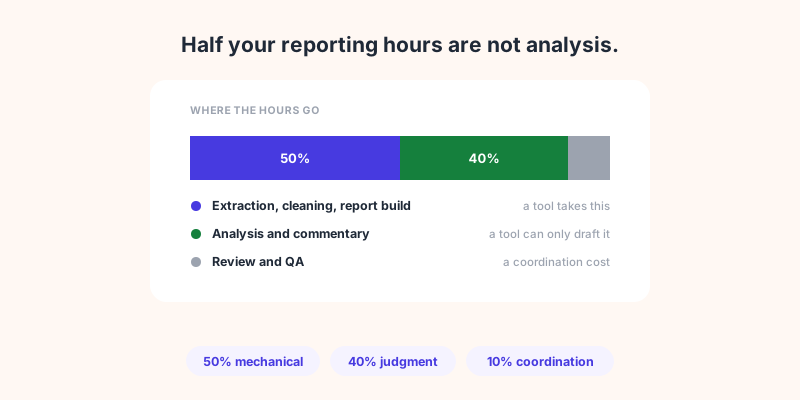
Every agency knows reporting eats the month. What nobody agrees on is how much. Go looking for the number and you find figures that disagree by a factor of seven, almost all of them published by companies that sell reporting software.
That matters more than it sounds. The number you believe decides which tool you buy and what you expect it to fix. Get the scope wrong and you will automate the wrong half of the work, then wonder why the month still disappears. This article uses the one survey with a published method to show where agency reporting hours actually go, which part a tool removes outright, and which part it can only draft for you.
The numbers do not agree, and that is the first clue
Two figures circulate. AgencyAnalytics, on its own marketing reporting guide, says agencies spend 1.5 to 4 hours per client just to create a report. It is their own estimate, offered without a sample size or a method. Fluent surveyed 104 agencies over six months and published a very different figure in June 2025: 20 to 30 hours per client per month for small agencies, rising to 40 to 60 for the largest.
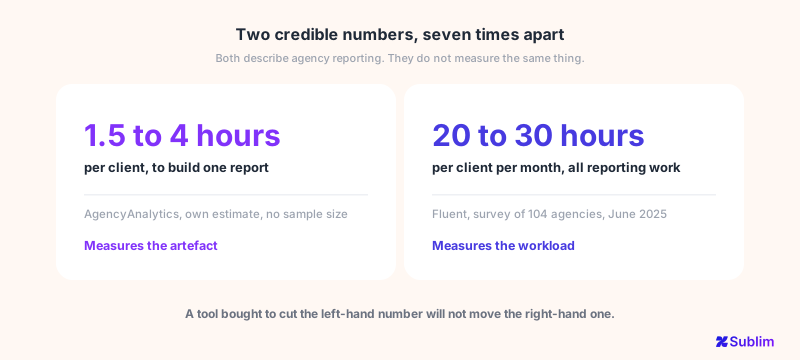
Both can be true at once. One measures the time to assemble the artefact. The other measures the whole reporting workload: pulling the data, reconciling it, interpreting it, writing it up, passing it round for review, sending it. The first is a task. The second is a process with several people in it.
There is a second difference between those two figures, and it matters more than the gap between them. One is a survey: 104 agencies, a stated sample, a published breakdown you can read. The other is a vendor estimate with no sample size and no method attached. Both get quoted in the same breath, and only one of them can be checked.
Keep that habit when a tool quotes a time saving at you. Ask who counted, how many agencies they asked, and whether the method is published anywhere you can read it. Most of the numbers in this category come from the companies selling the cure, which does not make them wrong, but does mean the burden of proof sits with them.
Where the hours actually go
Fluent's survey is the useful one because it breaks the work down instead of giving a single number. Across those 104 agencies, the reporting effort splits like this:
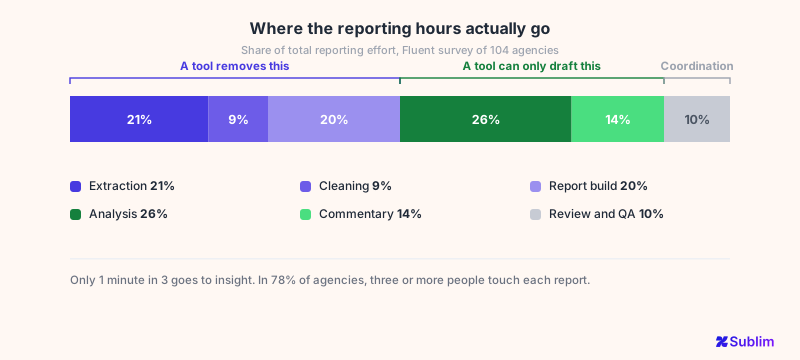
Read it as three blocks rather than six slices.
Mechanical work, 50%. Extraction at 21%, cleaning at 9%, building the report at 20%. Logging into six platforms, exporting, pasting, fixing the date ranges that do not line up, rebuilding the same deck with this month's numbers. None of this requires a human who understands the client.
Judgment, 40%. Analysis and insight at 26%, commentary at 14%. Deciding what the movement means, what to recommend, what to leave out. This is the part the retainer pays for.
Coordination, 10%. Review and QA. Fluent found that in 78% of agencies, three or more people touch each client report before it goes out. That cost is organisational, not technical.
Fluent's own summary is the line worth remembering: only 1 minute in 3 goes towards generating insight. The rest is prep, packaging or rework.
The half a tool can genuinely take
The mechanical 50% is the honest target for automation, and the gain is real. A reporting tool that connects to your sources removes the extraction and the cleaning, and a saved template removes most of the build. On a 25-hour-per-client month, that is something like 12 hours back, per client.
Notice what that implies at scale. The saving multiplies by client count, not by report count, which is why it matters far more to an agency with 20 accounts than to one with three. It is also why the vendor case studies quoting three-figure monthly savings are not necessarily inflated: an agency with 30 clients really can be spending the equivalent of two full-time people on assembling documents.
The 40% a tool can draft but not own
Analysis and commentary are 40% of the effort, and this is where the honest answer has changed in the last two years. Generated analysis used to mean the description of a chart, "sessions rose 12% month on month", which your client can read off the chart themselves. Tools can now do more than that: produce a summary, separate the wins from the points of attention, and rank recommendations. Sublim's reports generate that analysis before you open them.
What has not changed is who is accountable for it. A generated draft does not know that the dip is your client's factory shutdown, that the campaign was paused on purpose, or that last month's spike was a bot. It is confidently wrong often enough that sending it unread is a bad idea, and your client is paying for a judgment, not for a plausible paragraph.
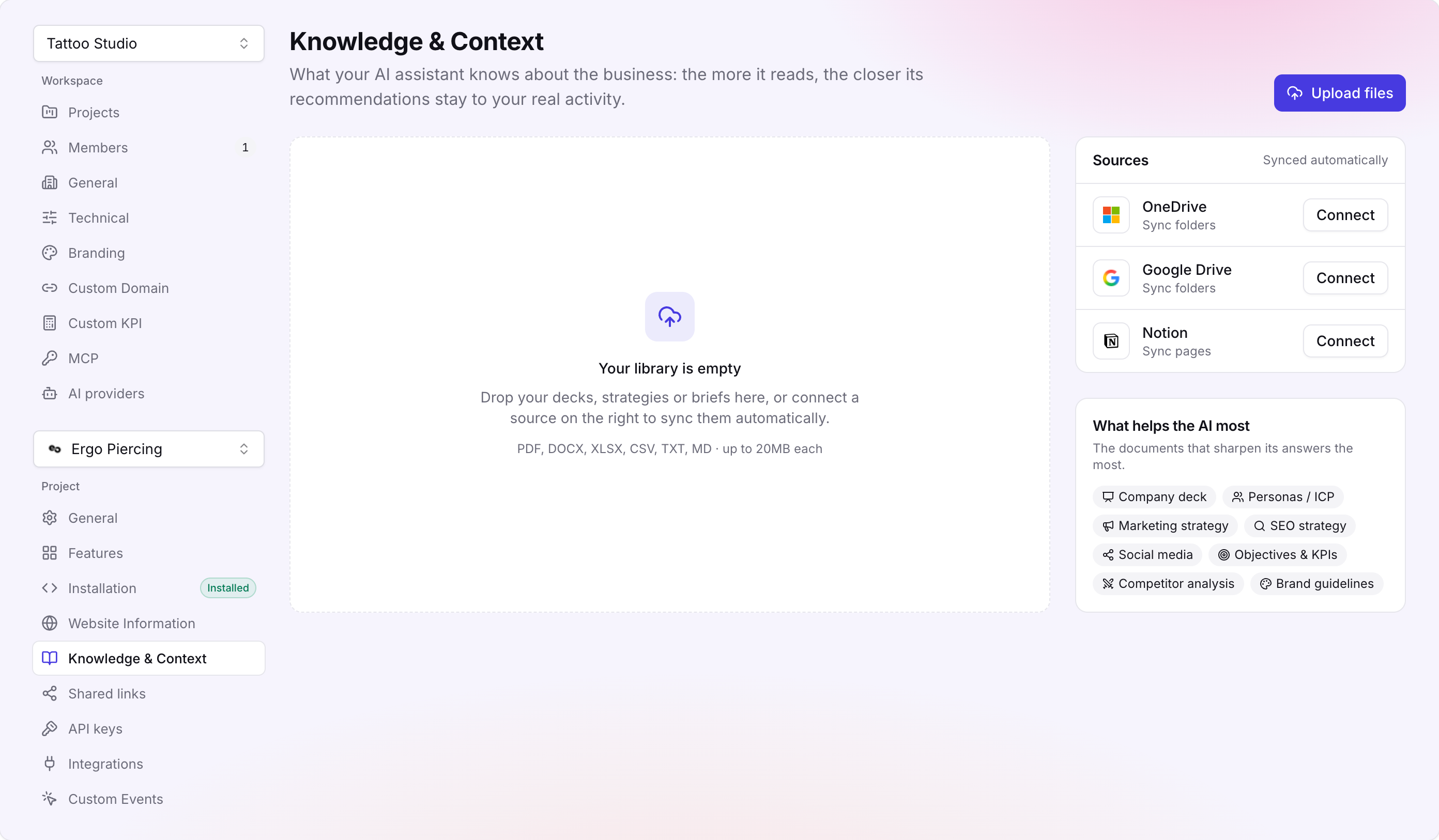
Some of that gap closes if you can tell the tool once instead of re-explaining it every month. Sublim keeps a business context per client, the industry, the model, the markets, the audience, the competitors, alongside a knowledge base you fill by uploading documents or syncing Drive, OneDrive or Notion, and you choose which of those are in scope. The analysis is grounded in that rather than in the numbers alone. It still will not know about the factory shutdown unless somebody wrote it down, which is rather the point: the context is only as good as what you put into it.
So the 40% does shrink, but it changes shape rather than disappearing: less time writing, more time checking, correcting and deciding what to cut. Treat generated analysis as a first draft from a capable junior who has never met the client.
The practical conclusion is unglamorous. If you buy a reporting tool expecting the 25 hours to become 5, you will be disappointed and you will blame the tool. Expect something closer to 12, and spend part of what you freed on the analysis you never had time to do properly. That is the trade that actually improves the report.
What to automate, what to keep human
| Part of the job | Share of effort | Can a tool take it? |
|---|---|---|
| Pulling data from each platform | 21% | Yes, this is what integrations are for |
| Cleaning and reconciling it | 9% | Yes, if the tool models the data rather than just embedding charts |
| Building the document | 20% | Yes, templates and scheduled delivery |
| Analysis and insight | 26% | A draft, yes. The judgment stays yours |
| Writing the commentary | 14% | A draft, yes. It has never met your client |
| Review and QA | 10% | Partly. The real lever is how many reviewers |
Three rows disappear outright. Two become a draft you review instead of a page you write, which is faster but not free. None of the six vanishes because a vendor says the word AI.
When a dedicated reporting suite is the right buy
Straight answer, because it matters more than a sales line: if your reporting problem is the long tail of connectors, buy a reporting suite. AgencyAnalytics advertises 85 or more integrations, and that catalogue is the product. If a typical client deck of yours needs a call tracker, a review platform, two niche ad networks and a local rank tracker sitting beside the usual sources, nothing with a shorter list replaces it, however good the shorter list is.
That stops being the right answer the moment those sources go unused. Plenty of agencies ship a twelve-source report because the template has twelve, not because anyone acts on twelve. In that case you are paying a per-client reporting subscription to automate the assembly of pages nobody reads, and the cheaper fix is a shorter report.
How Sublim helps
Sublim does client reporting, and it is aimed squarely at that mechanical 50%. More than thirty report templates and a hundred-odd KPIs to build from, delivery you can schedule, and a finished report you can share as a link, send by email or comment on in place. Every client is a project inside one workspace, so nobody logs in and out of separate accounts, and the sources reach past web analytics: around twenty sources land in the same deck, across SEO, social, paid, email, CRM and ecommerce: Search Console, Google Ads, Meta, LinkedIn Ads, TikTok, YouTube, HubSpot, Pipedrive, Stripe, Shopify and the email tools.
On the 40%, a Sublim report arrives with a generated draft: a summary split into wins and points of attention, and ranked recommendations with suggested actions. Read it as a draft, because that is what it is, and the review stays on you.
What makes that section quicker to defend as well as quicker to produce is the layer underneath. Sublim owns the analytics rather than aggregating someone else's, so the figures are unsampled and the tracking is cookieless, and you are not explaining to a client why their numbers miss the visitors who declined a banner. For agencies with EU clients that tends to be the argument that closes, which the agency overview goes into. The detail on why sampled figures are awkward in a client meeting is a subject of its own.